

Website QA Kit
Alternative to website QA service, website monitoring, dealer website audit
Teach Claude Code or Codex what to check, then run those website checks on your schedule without model calls.
TL;DR
- Explore the platform once with Claude Code or Codex
- Save your verified phone numbers, hours and expected controls
- Run repeatable browser checks without daily model calls
- Review local reports, screenshots, coverage and history
- Add your own tested checks from plain-English requests
Quick facts
- Alternative to
- website QA service, website monitoring, dealer website audit
- Works with
- Claude Code, OpenAI Codex, Dealer Inspire, Dealer.com, DealerOn, Any dealer website
- Best for
- Dealer marketing managers maintaining their own website checks, Agencies monitoring up to 10 managed dealer websites per license, Website managers who want to extend checks with Claude Code or Codex
- Delivery
- Source code download
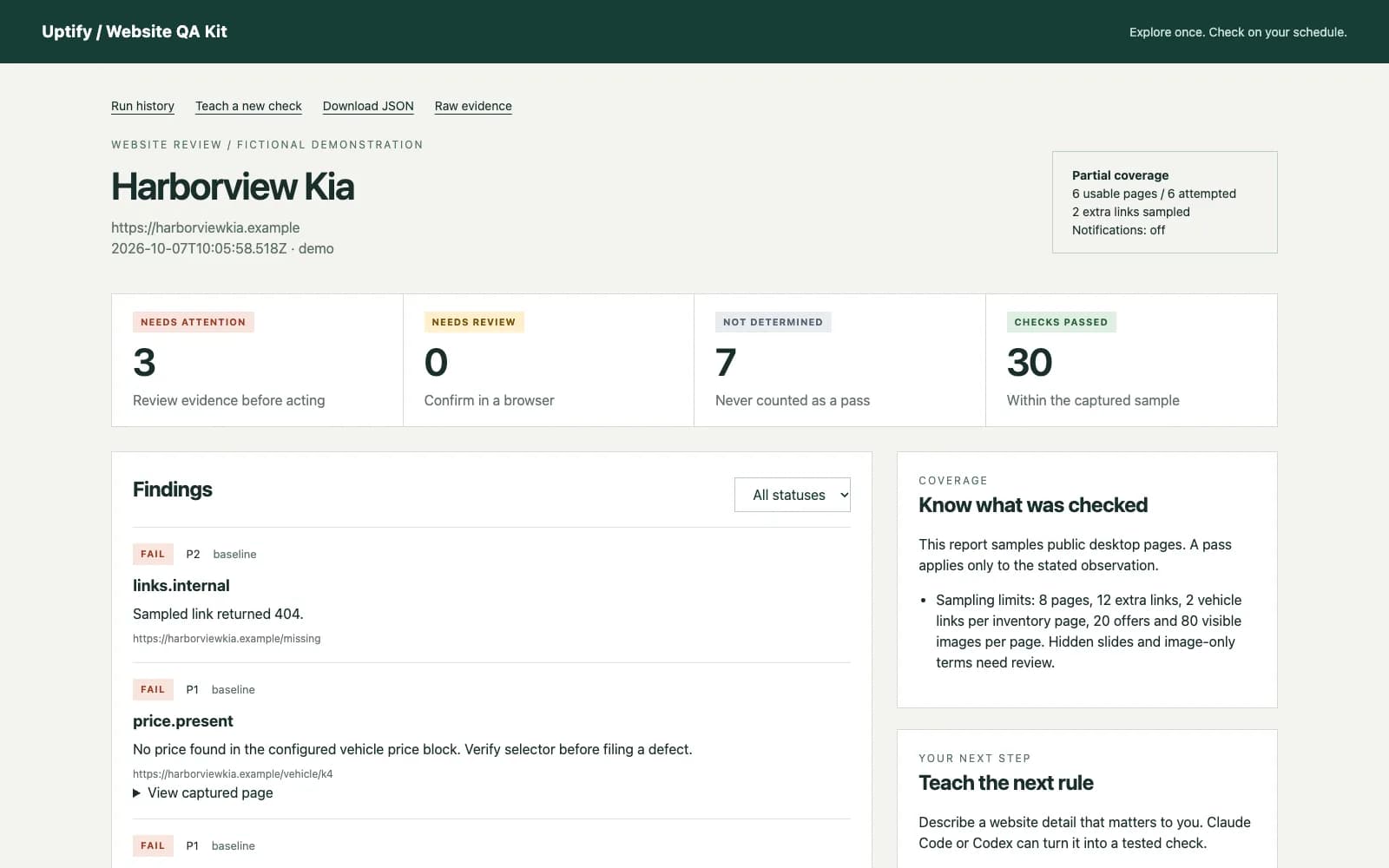
A missing vehicle price, stale offer or broken contact path is easy to miss between website updates. Website QA Kit gives your team repeatable browser checks and a report you can inspect before asking for a fix.
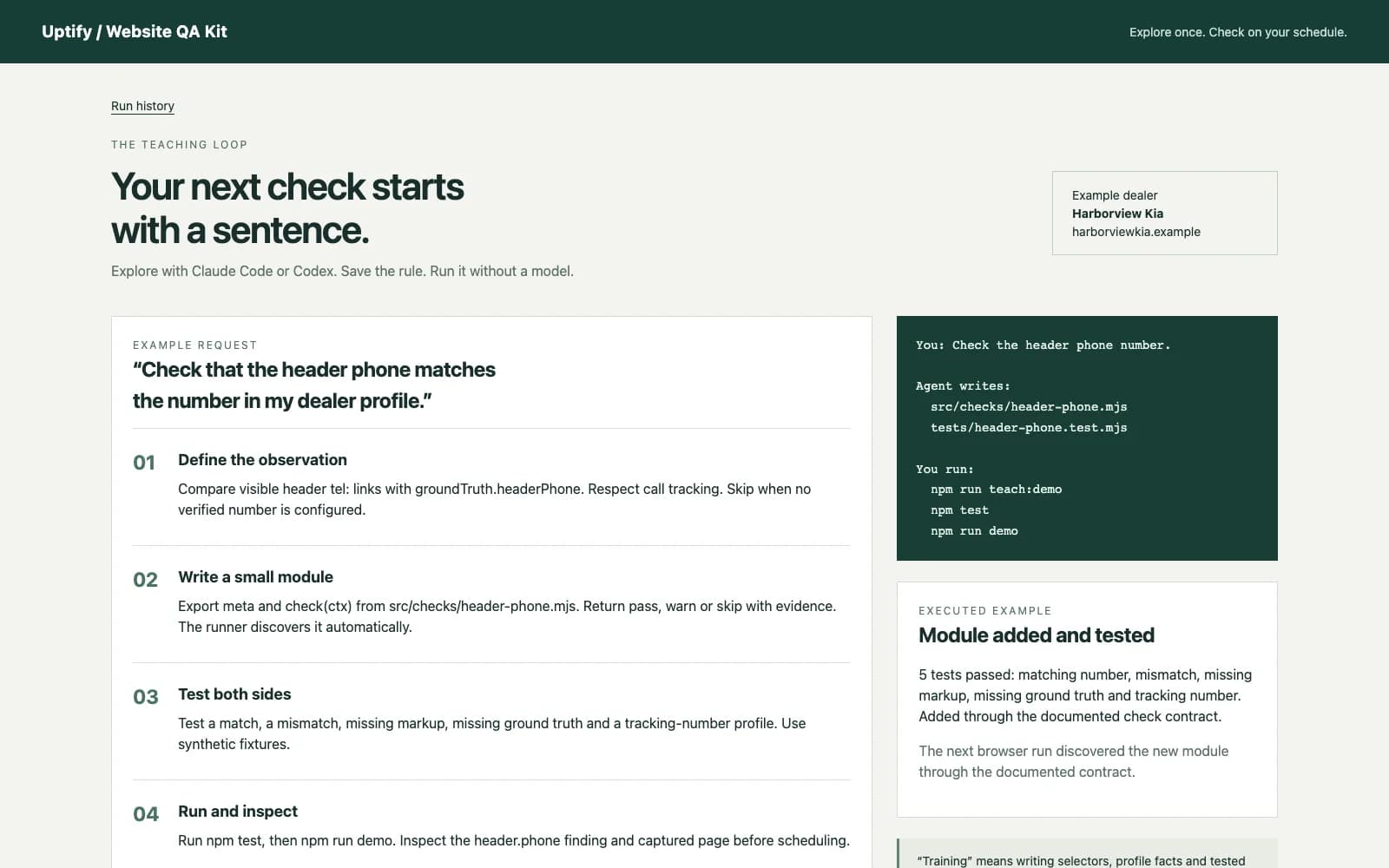
Use Claude Code or Codex to explore your platform once, save the selectors and record your verified dealer facts. Ask for a new check in plain English. The included instructions guide the agent to write a small module, add tests and run it against browser evidence. Daily scans use Playwright and local rules, with no model API calls.
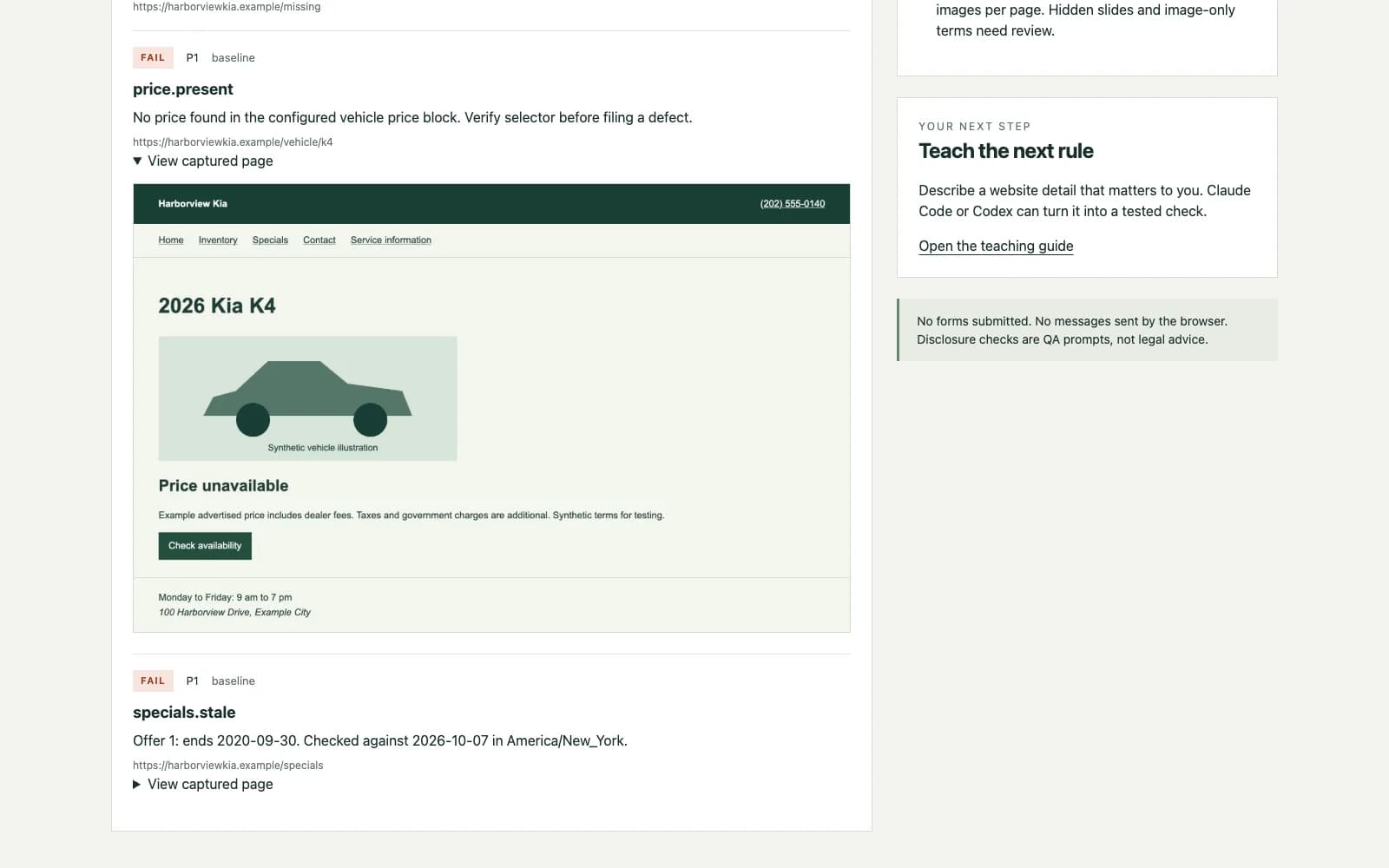
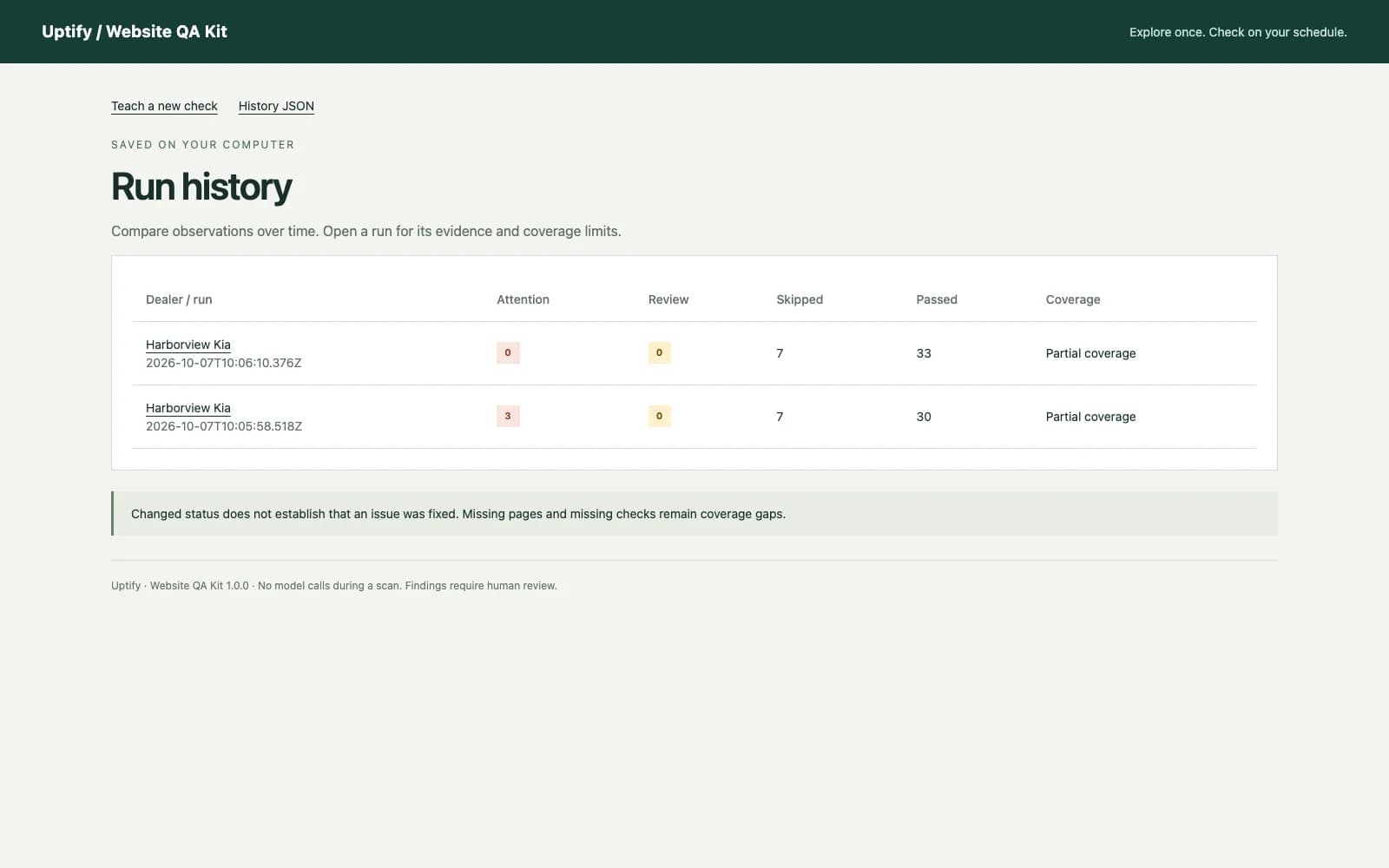
Each run saves an HTML report, JSON evidence, page screenshots and history on your computer. Checks cover sampled page and link availability, visible vehicle pricing, contact facts, forms, offer dates and configured controls. Skipped observations and coverage limits stay visible. Optional Slack summaries start off.
$299 one time. Use it for your organization's own dealer websites, or for one agency's managed dealer websites up to 10. Agent access and runtime costs are separate. Setup requires browser exploration, and platform changes can require selector updates. This is downloadable code, not a hosted monitoring service or a legal compliance certification.
What it does
- Bounded browser scans of configured public pages and sampled links
- Vehicle price presence and disclosure review prompts
- Phone and hours comparisons against your verified facts
- Visible form and explicitly configured safe control checks
- Offer expiry, image loading and browser script error checks
- Filterable HTML reports with captured page evidence and JSON
- Run history with changed observations and unobserved prior issues
- Automatic discovery of new check modules with a documented contract
- Optional Slack summaries requiring two explicit enablement steps
What you get
- Node.js and Playwright source code with a locked dependency manifest
- Claude Code skill, Codex AGENTS.md and a shared teaching guide
- Generic platform selector starting files and one fictional dealer profile
- Synthetic browser fixture, regression tests and a tested added-check example
- Cron, launchd and GitHub Actions scheduling instructions
- Organization license and a local zip-building script
How you get started
Buy once. Enter one dealer at checkout for setup help.
- 1
Download the zip
YouAt signupFind it in Purchases right after checkout.
- 2
Run the example
YouAt signupUnzip, run npm ci, then npm run example.
- 3
Set up your website
YouAt signupAsk Claude Code or Codex to explore your website and set up the checks.
Setup
What you need
- Node.js 20 or newer, npm and Chrome or Playwright Chromium on macOS, Windows or Linux
- Real website checks need internet access
- Assisted onboarding needs your own Claude Code or Codex access and a real browser tool or Playwright
- No model API key is required for scheduled scans
- Your computer or scheduled host must be available when a scan runs
Steps
- 1Install the kit
- 2Open the fictional example
- 3Teach your website
- 4Review the first scan
- 5Choose a schedule
Follow the setup guide in your account after purchase.
How it connects
Connection and access details provided by the publisher.
| System | Connection | What that means |
|---|---|---|
| Dealer websites | Public website Opens your public pages in a browser. Never submits forms. Slack summaries are off unless you turn them on. | Opens your public pages in a browser. Never submits forms. Slack summaries are off unless you turn them on. |
Security review
The publisher has not provided a security review.
Dealer reviews
Write a reviewOnly dealers that piloted or bought this tool can review it.
No reviews yet. Finish a pilot or buy this tool to leave a dealer review.
Questions
The builder answers pre-sale questions in public.
No questions yet.
Ask a public questionCommon questions
Why does the example website not load online?
Harborview Kia uses a reserved .example address. npm run example serves its synthetic website locally.
Why are some checks skipped?
The runner may lack verified facts, usable pages, matching selectors or readable offer dates. A skip is never counted as a pass.
What if the site blocks the browser?
Try one visible-browser run. If access remains blocked, retain partial coverage and review manually. The kit does not bypass challenges.
Does a price or disclaimer finding establish a legal violation?
No. These are observations and review prompts. Validate the selector and consult qualified advisers where appropriate.
How do I add a check?
Describe the requirement to Claude Code or Codex and point it to the included check contract. The agent writes a module and synthetic tests. Inspect the next report before scheduling it.
Will it submit leads or send reports automatically?
It never submits forms. Slack is off until both the dealer setting and command flag enable it. The report stays local.
Changelog
1.0.0
1.0.0: Initial downloadable release. Includes the browser runner, built-in QA checks, local reports and history, dual-agent teaching instructions, header-phone example, synthetic tests and scheduling documentation.
Website QA Kit
$299one-time