

Dealer Dashboard Framework
Alternative to dealer BI dashboard, automotive reporting dashboard, Power BI for dealers
Build internal dealer dashboards with a working template, clear data rules and guidance for your coding agent.
TL;DR
- A working local dashboard with six analytics screens and a build guide
- Synthetic data for four fictional dealers, with a repeatable generator
- Shared calculations, filters, sortable tables and CSV exports
- Agent guidance for Claude Code and OpenAI Codex
- One organization license for internal dashboards, including client work
Quick facts
- Alternative to
- dealer BI dashboard, automotive reporting dashboard, Power BI for dealers
- Works with
- Claude Code, OpenAI Codex, Google Analytics 4
- Best for
- Dealer groups building internal reporting across their dealers, Agencies and builders creating client-specific internal dashboards, People learning data modeling and dashboard construction with a coding agent
- Delivery
- Source code download
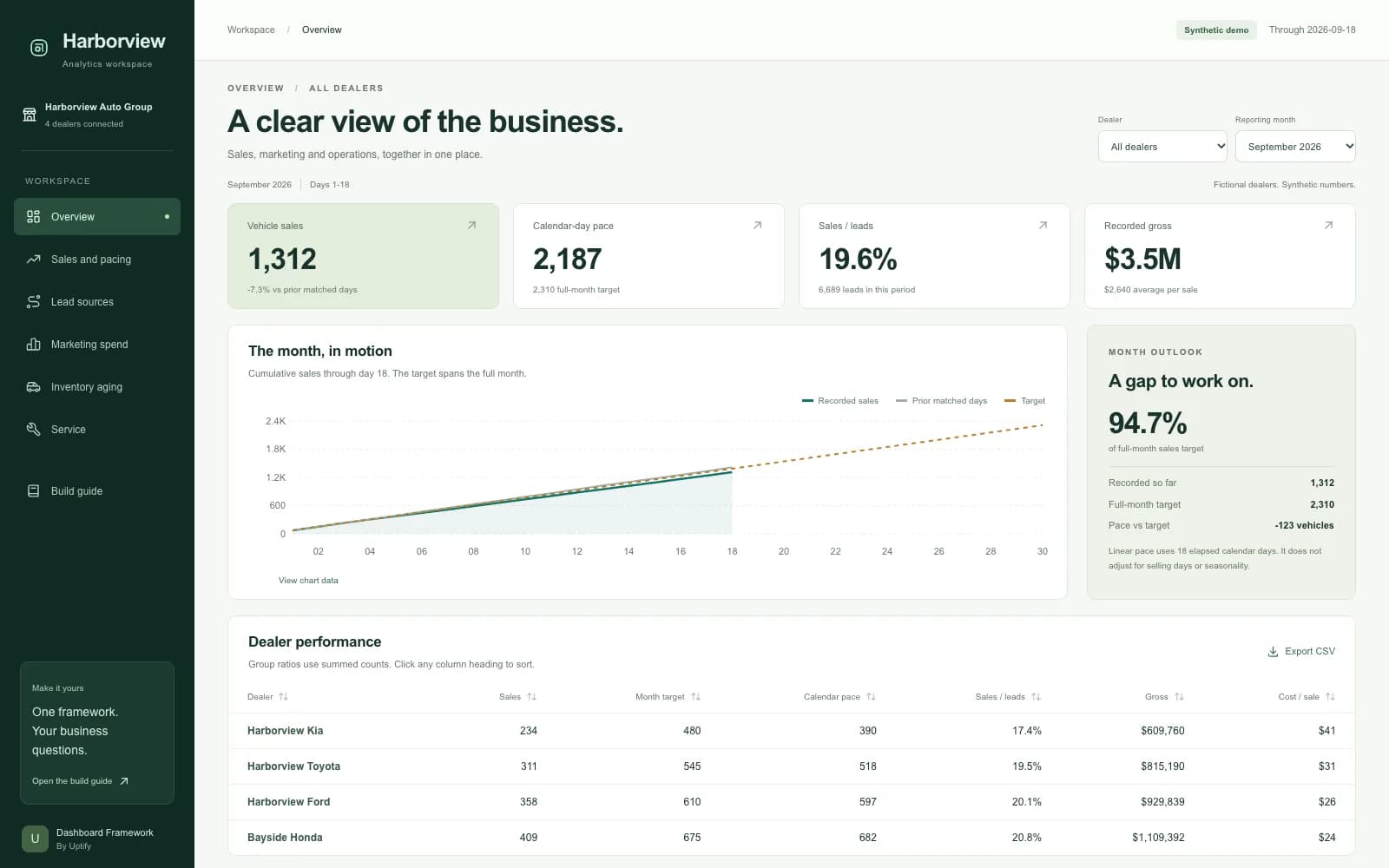
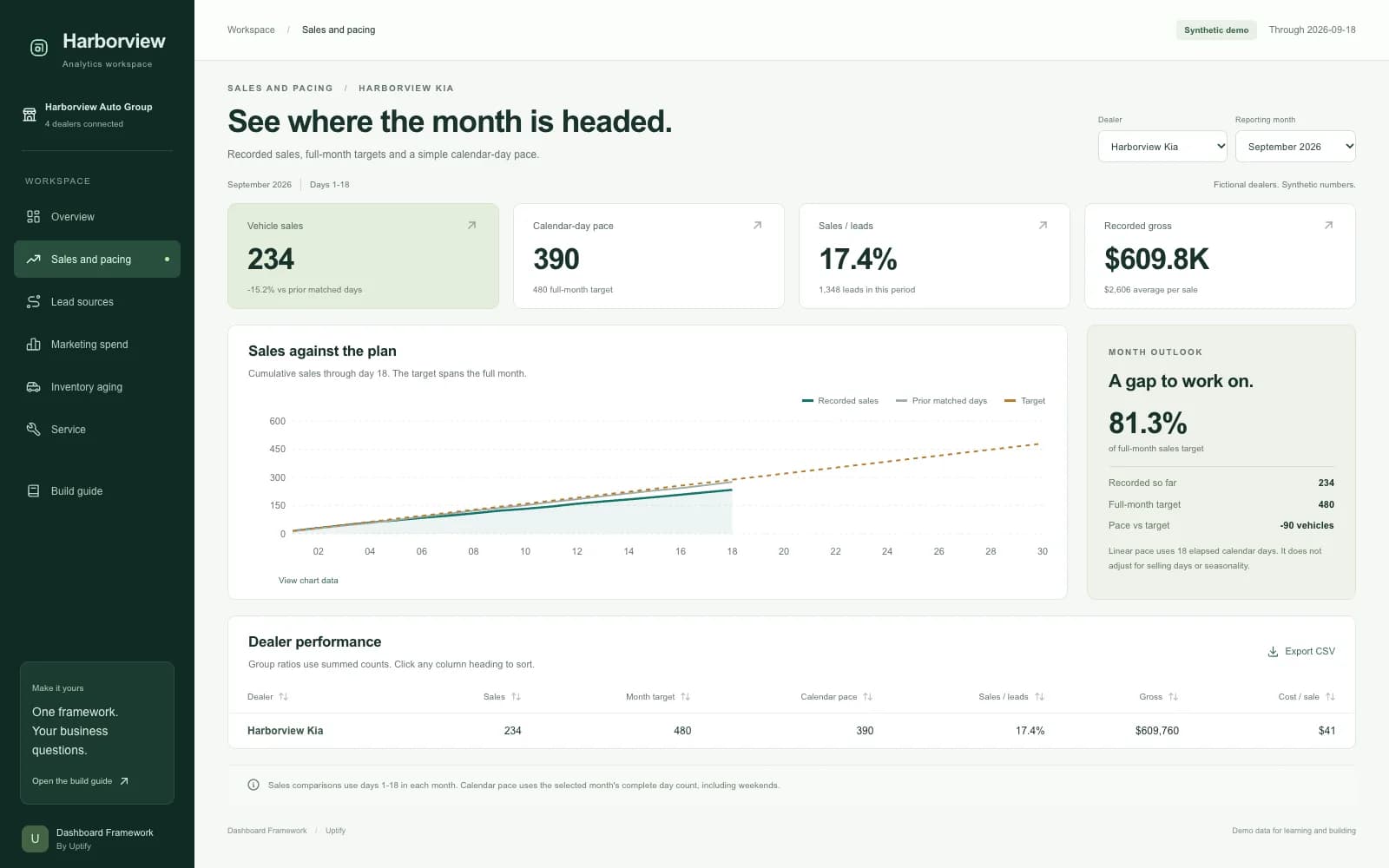
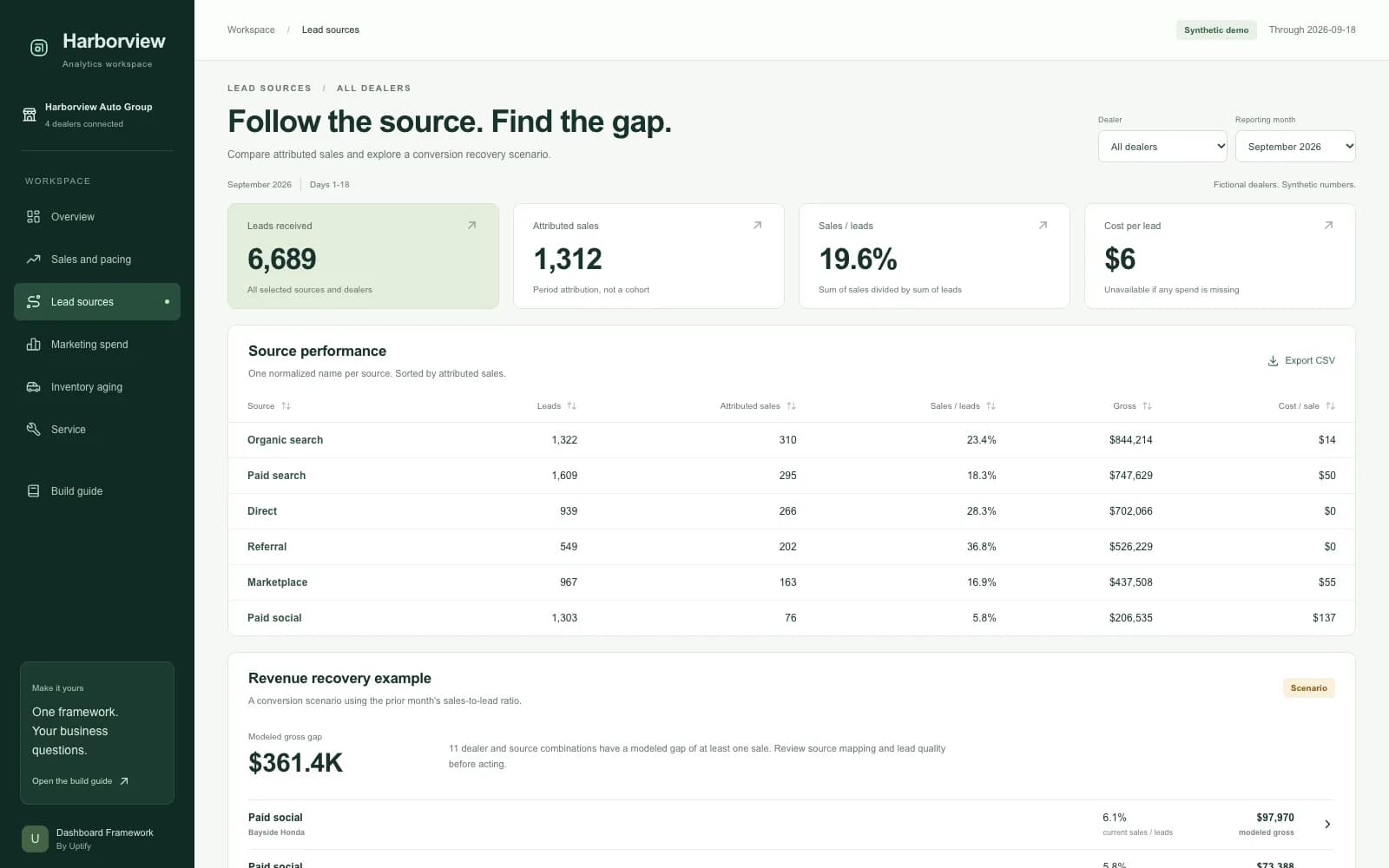
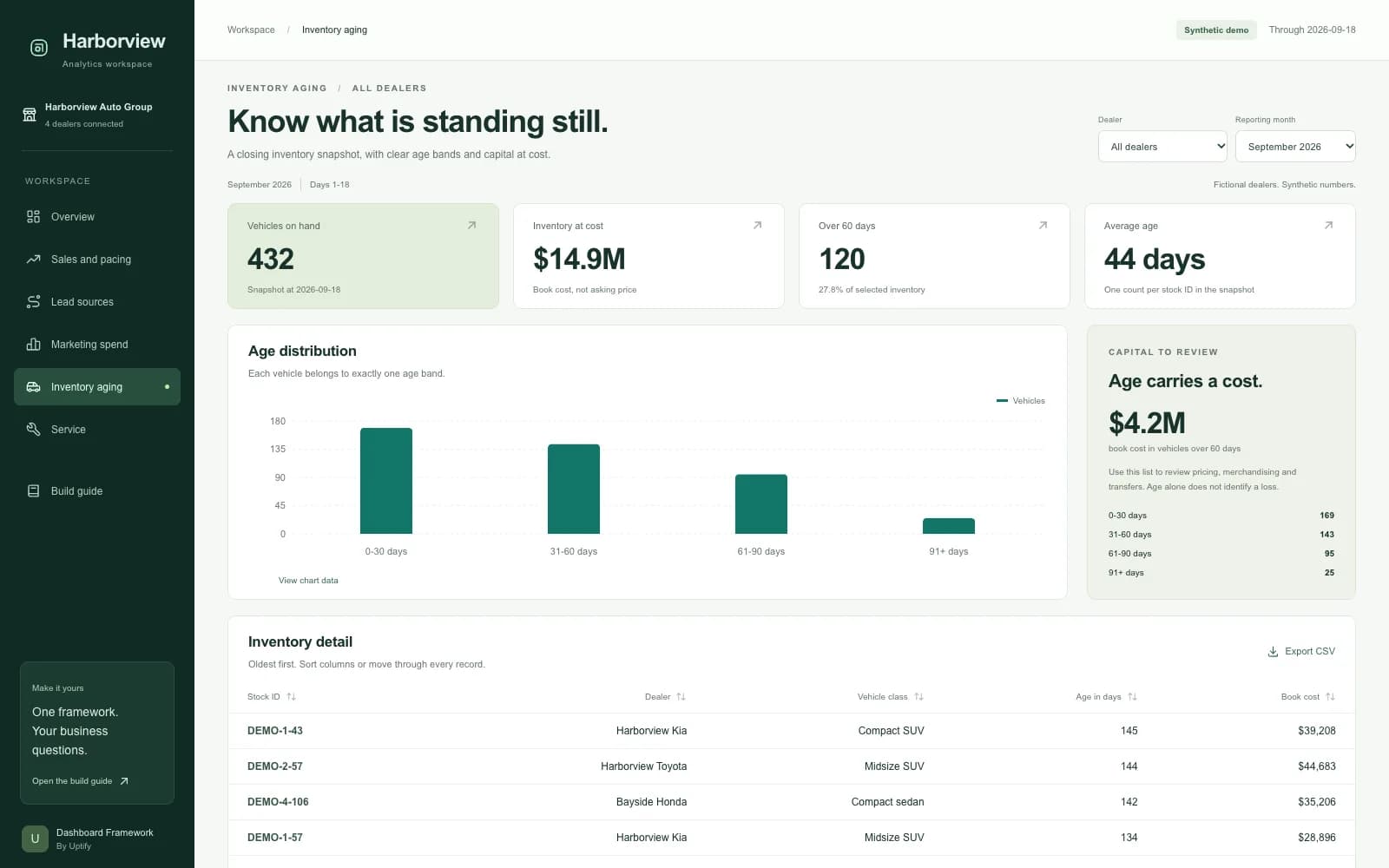
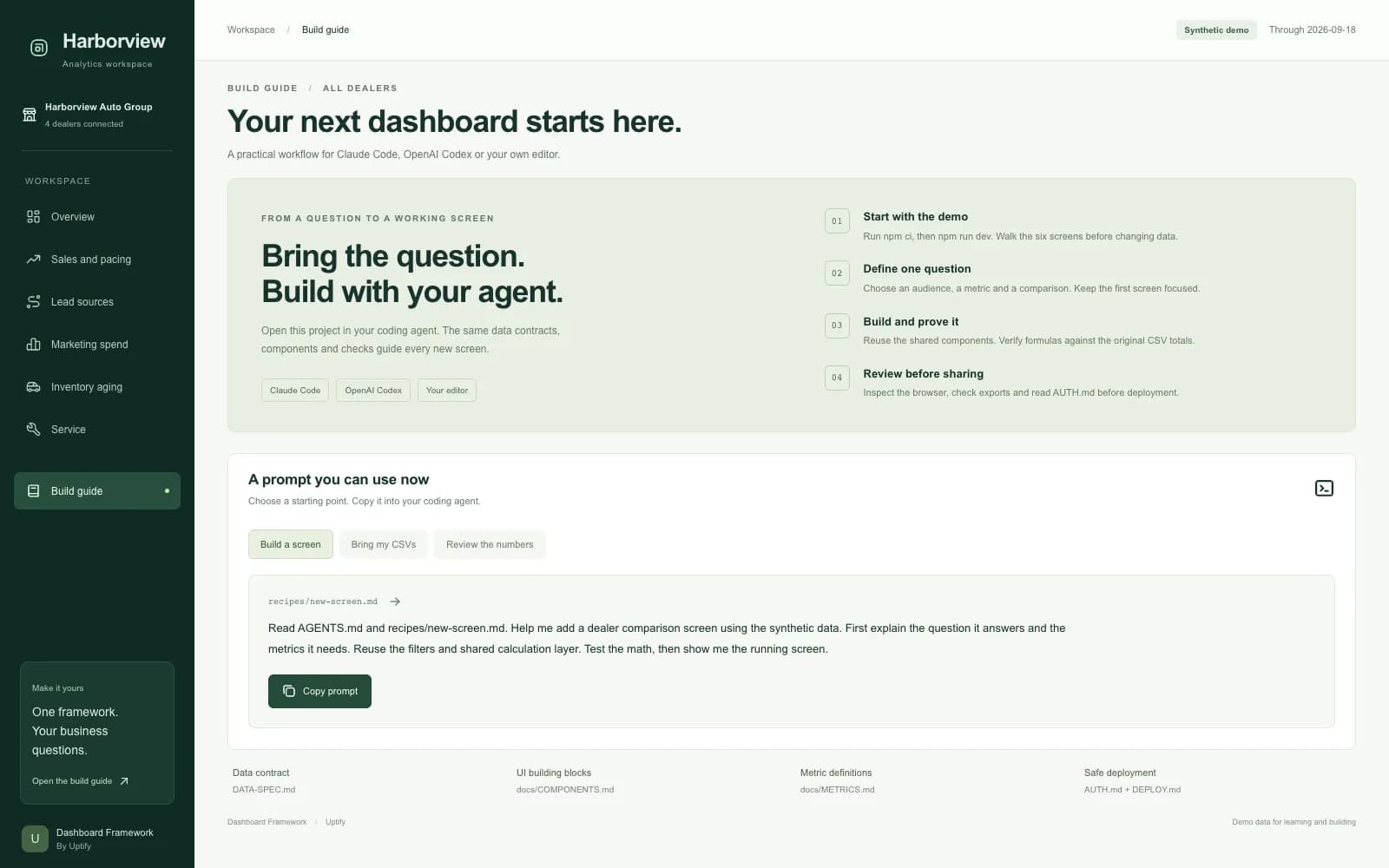
Start with a running analytics workspace for the fictional Harborview Auto Group. Explore sales and pacing, lead sources, marketing spend, inventory aging and service. Change the dealer or month and the numbers recalculate. Export the selected table for review.
The download includes a Next.js App Router template, TypeScript data contracts, Tailwind styling and Recharts components. A deterministic generator produces the synthetic example data. Parsing and calculation checks cover missing values, group ratios and partial-month comparisons. Revenue recovery appears as one labeled scenario within Lead sources.
Use the included Claude Code skill or root instructions for OpenAI Codex to build your next screen. Recipes cover new screens, CSV mapping, metric verification and the recovery example. The in-app Build guide provides prompts you can copy into your agent.
The price is $1,000 one time for one buyer organization. Build unlimited dashboards for your own dealers or your clients' internal use. Resale or redistribution of the framework as a template or kit is not permitted. Agent accounts, hosting, live integrations and ongoing maintenance are separate.
What it does
- Overview with sales, pace, gross and dealer comparisons
- Sales pacing with a full-month target and matched-day comparisons
- Lead source analysis with an explained recovery scenario
- Marketing spend, cost per sale and cost per lead
- Inventory age bands, capital at cost and paginated vehicle detail
- Service revenue, repair orders and hours utilization
- Strict CSV validation that keeps unknown values distinct from zero
- Reusable components and an in-app recipe guide
- A production access gate that denies access until configured
What you get
- Next.js, TypeScript, Tailwind and Recharts application source
- Synthetic CSV files and deterministic data generator
- Data spec, metric definitions and component reference
- Claude Code skill, AGENTS.md, prompt files and four recipes
- Calculation and browser verification suite, plus packaging script
- Organization license and authentication and deployment guidance
How you get started
Buy once. Enter one dealer at checkout for setup help.
- 1
Download the zip
YouAt signupFind it in Purchases right after checkout.
- 2
Run the example
YouAt signupUnzip, run npm ci, then npm run dev.
- 3
Build your first screen
YouAt signupOpen the folder in Claude Code or Codex and follow the build guide.
Setup
What you need
- Node.js 20.19 or newer, npm and a current browser on Windows, macOS or Linux
- Internet access is needed to install dependencies
- The local example requires no API key
- Agent assistance requires your own Claude Code or OpenAI Codex access
- Chrome or Playwright Chromium is needed for browser checks
- Deployment needs HTTPS, private data storage and configured server authentication
Steps
- 1Unzip the product
- 2Install and run
- 3Explore the example
- 4Build your next screen
- 5Prepare your data
Follow the setup guide in your account after purchase.
How it connects
Connection and access details provided by the publisher.
| System | Connection | What that means |
|---|---|---|
| CRM, DMS, GA4 and ad platform exports | Your own export Reads CSV exports you prepare. No live connection, login or API key. | Reads CSV exports you prepare. No live connection, login or API key. |
Security review
The publisher has not provided a security review.
Dealer reviews
Write a reviewOnly dealers that piloted or bought this tool can review it.
No reviews yet. Finish a pilot or buy this tool to leave a dealer review.
Questions
The builder answers pre-sale questions in public.
No questions yet.
Ask a public questionCommon questions
The install fails. What should I check?
Confirm Node.js is at least 20.19 and that npm can reach its registry. Run npm ci from the unzipped product root. The lockfile is included.
The page says access is disabled. Why?
The production deployment command denies access until its server username and password are configured. Use npm start for a production build on your own computer. Follow AUTH.md for hosting.
My CSV export is rejected. What does the importer accept?
The exact prepared schema in DATA-SPEC.md. Map vendor headers and source aliases first. Missing daily coverage, duplicate keys, unknown stores and invalid numbers fail validation.
Why is a cost metric unavailable?
A selected spend value may be blank, or the denominator is zero. The framework preserves the distinction between unknown and zero. Review the data and metric definition.
Can I connect my CRM or add an AI chat?
Those connections are not included. You can extend the source with your coding agent. Keep credentials server-side and obtain permission before sending private data to another service.
Browser verification cannot find Chrome. What should I do?
Run npm run browser:install to install Playwright Chromium. Minimal Linux systems may need browser system libraries. The dashboard itself runs without browser automation.
Changelog
1.0.0
Initial release. Six analytics screens, build guide, synthetic four-dealer data, CSV validation and import, shared metrics and components, exports, local and production access modes, agent instructions, recipes and verification commands.
Dealer Dashboard Framework
$1,000one-time